Appointments and transport
For school, work and activities, include who is driving and what needs packing. A shared calendar helps when the responsibilities around each appointment are clear.
From separate plans to shared organisation
A family app helps you share appointments, tasks and practical information. Which parts do you need, who should see them and how do you get everyone involved? This guide offers a workable starting point for households, co-parents and families supported by relatives.
An umbrella term for an app that lets household members share information and practical responsibilities. Features differ between providers: look for the calendar, tasks, shopping or documents you actually need.
These terms emphasise who does what and when. A planner might be an app, a paper diary or a board on the wall. Choose the format that people will realistically check.
This mainly addresses appointments and availability. It may be enough if your only aim is to avoid clashes. Tasks and shopping might then require another agreed system.
Describe three recurring situations where communication currently breaks down. Use them to evaluate an app rather than trying every feature immediately.
For school, work and activities, include who is driving and what needs packing. A shared calendar helps when the responsibilities around each appointment are clear.
Scattered requests leave someone collecting information from different messages. Keep one list and define what finished means. A clear quantity can be more helpful than another reminder.
A school document or babysitting request may need a predictable place. Decide who needs each detail before sharing it. Not every personal item needs to be visible to everyone.
For example: this week we want to know who handles school pickups. A small shared goal reveals more than building a complicated system before anyone tries it.
Appointments need times and locations; tasks need owners and a clear outcome. Choose one home for each type of information. Keep unrelated personal commitments separate.
Add a few real appointments, one task and a shopping list. Ask another family member to add or change something too. Test shared use rather than whether one person understands every menu.
A useful reminder supports an action. Decide who needs which notification and how to communicate urgent changes. Editing a calendar may not be enough when someone is already travelling.
Discuss what helped and what created extra work. Remove unused lists and add a feature only when it solves a specific problem. A straightforward habit is easier to maintain.
This fictional example shows how different parts can work together. Adapt the days and responsibilities to your circumstances.
| When | In the family app | Agree together |
|---|---|---|
| Sunday | Review the coming week | Who handles the busy afternoons? |
| Monday | Activity and transport | Who packs the bag and collects? |
| Tuesday | Update the grocery list | What is running low and how much do we need? |
| Thursday | Complete a shared task | Who owns it and what counts as finished? |
| Weekend | A short review | Which arrangement should we keep next week? |
For a single household, a shared calendar with tasks and shopping may be a useful starting point. Co-parents also need clear agreements about what crosses between homes. If grandparents or a babysitter help, consider how to involve them without sharing unnecessary details. Different family arrangements will prioritise different features.
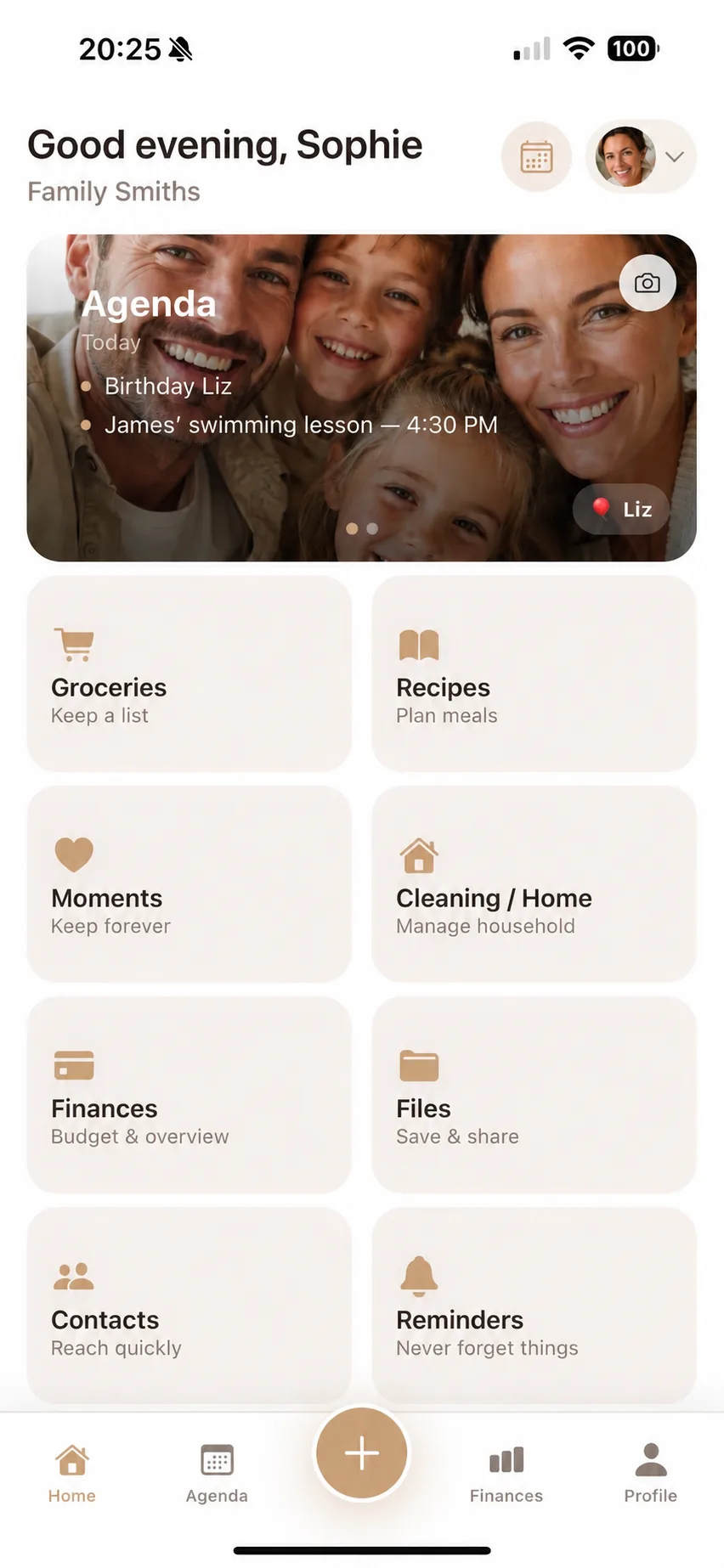
Flow Fam’s App Store listing combines a family calendar, tasks, groceries and finances with documents, reminders, babysitting requests and a dedicated children’s space. It is an option when you want to bring more everyday responsibilities together. Check current device support, pricing and terms before choosing.
Flow Fam · App StoreIt fits your shared responsibilities and is understandable to the people using it. Try a normal week and review calendars, lists, access, pricing and privacy information.
Not necessarily. A planner describes a way of organising shared time and may be on paper. A digital family app can also include tasks, shopping and other information.
That depends on the app’s features and access settings. Agree which information you want to maintain together, then check whether the tool supports your existing arrangements.
The App Store link on this page leads to Flow Fam for iPhone and iPad, with current requirements, pricing information and any in-app purchases.